
How to Use a DSLR Camera for Beginners: A Practical Guide
Your first good DSLR photo may be only a few simple steps away. If the buttons and menus feel confusing, you’re not alone. Learning how to use a DSLR camera for beginners doesn’t mean memorising every control before you start. Begin with a few reliable settings, take a photo, and adjust one thing at a time.
This guide walks you through preparing your camera and lens, focusing on a subject, and composing a clear first shot. You’ll also learn how to tell whether a photo is blurry or too dark, and what to try next without changing several settings at once.
Use a repeatable shoot, review, adjust routine to build confidence through practice. DSLRs remain capable cameras, and the core skills you learn apply to mirrorless cameras too. Start with the basics, take your time, and let each photo show you what to try next.
Key Takeaways
- Learn how to use a DSLR camera for beginners by starting with a few essential controls instead of trying to master every button.
- Follow a simple sequence: frame your subject, focus, take a photo, then check the background for distractions.
- Choose a camera mode based on the scene and how much control you want over the shot.
- Before changing settings, look for clues that distinguish missed focus, camera movement, and exposure problems.
- Build confidence with short practice sessions and notes about the settings and results you want to repeat.
How to Use a DSLR Camera for Beginners: Start with the Essentials
You don’t need to understand every button before taking a photograph. A DSLR, short for digital single-lens reflex camera, uses interchangeable lenses and an optical viewfinder that lets you look through the lens to frame a scene. For a fuller explanation of its design, see this overview of the Digital single-lens reflex camera.
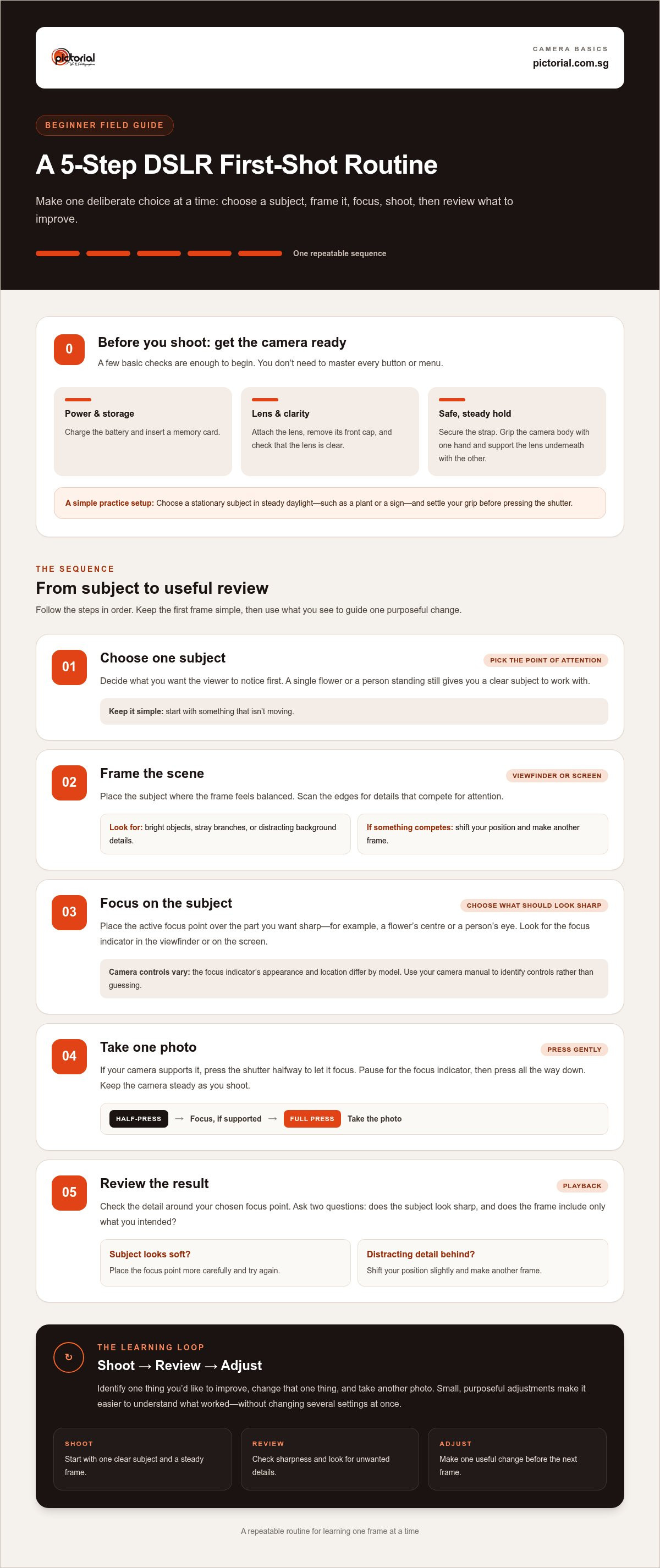
Before shooting, prepare the camera in a few deliberate steps:
- Charge the battery and insert a memory card.
- Attach the lens, then remove its front cap.
- Switch on the camera and check that the lens is clear.
That’s enough to begin. Use a simple shoot, review, adjust loop: choose a subject, frame and focus, take a photo, then inspect the result before changing anything. If the image is soft or too dark, you’ll have a specific clue to work with instead of making several changes at once.
Which DSLR controls should a beginner find first?
Find the power switch, shutter button, mode dial, viewfinder, screen, and playback control. The shutter button takes a photo, while playback lets you review it. Button placement differs between camera models, so use your camera’s manual to identify controls rather than guessing. On lenses with focus and zoom rings, turn the zoom ring to change the view. Use the focus ring only when focusing manually.
How should you hold and prepare a DSLR?
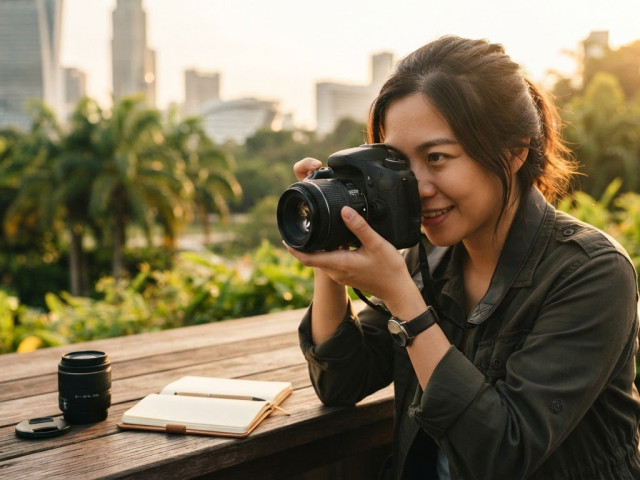
Secure the camera strap around your neck or wrist before lifting the camera. Hold the grip with one hand and support the lens from underneath with the other. Keep fingers away from the front of the lens, and remove the lens cap before shooting. Supporting the lens helps steady the camera compared with holding the body in one hand.
For a first practice session, choose a stationary subject in steady daylight. Consistent light makes it easier to see the effect of your choices without adding the challenge of a dim setting. A plant or a sign works well. Take a moment to look through the viewfinder and settle your grip before pressing the shutter.
- Choose one subject and decide what should catch the viewer’s attention.
- Frame it in the viewfinder or on the screen, checking the edges for distractions.
- Focus on the subject, then gently press the shutter to take one photo.
- Review the image and identify one thing you’d like to improve before trying again.
Repeat the sequence rather than rushing to explore every menu. If you’d like patient, hands-on guidance after practising, Pictorial’s basic photography course for beginners offers practical instruction to help you build camera skills. Start with the camera you have, and let each review guide your next small adjustment.
Take Your First DSLR Photo with a Simple, Repeatable Sequence
A clear first photograph comes from making a few deliberate choices, not from changing several settings at once. Pick a subject that isn’t moving, such as a flower or a friend standing still. Decide what should look sharp, then use the same short sequence each time. Repeating the process makes it easier to understand what worked and what you might change in the next frame.
A focused frame starts with a clear subject and a deliberate focus point. Keep that in mind as you work through these steps:
- Choose a subject. Decide what you want the viewer to notice first. A single flower, for example, gives you a clear point to focus on.
- Frame the scene. Look through the viewfinder or use the screen. Place the subject where it feels balanced, and check the edges for background details that compete for attention.
- Focus on the subject. Move the active focus point over the part you want sharp, such as the flower’s centre or a person’s eye. Look for the focus indicator in the viewfinder or on the screen. Its appearance and location vary by camera model.
- Take one photo. If your camera supports it, press the shutter button halfway to let it focus. Pause for the focus indicator, then press gently all the way down. Keep the camera steady as you shoot.
- Review the result. Use playback to check whether the intended subject looks sharp and the frame includes the details you want.
How do you focus and frame a subject?
Keep your eye on the subject while placing the active focus point over it. If your camera has multiple focus points, use the controls described in its manual to move the point. A half-press can help the camera focus before the full press, though operation varies by model. Before taking the shot, scan the frame edges for bright objects, stray branches, or anything that seems to grow out of your subject.
What should you check after taking the photo?
Review the image at a useful size and check the detail around your chosen focus point. Ask yourself: does the subject look sharp, and does the frame include only what you intended? If not, adjust your position or framing and take another photo. Change one thing at a time so you can see what each adjustment does.
For example, if a person is sharp but a distracting sign appears behind them, shift your position slightly and make another frame. If the background is tidy but the subject looks soft, place the focus point more carefully and try again. Small, purposeful changes make the result easier to understand.
That shoot, review, adjust rhythm is a practical way to learn how to use a DSLR camera for beginners. If you’d like guided practice with camera basics, Pictorial’s basic photography course for beginners offers a hands-on way to build those skills.
Which DSLR Mode Should a Beginner Use Before Full Manual?
There isn’t one correct mode for every beginner or every scene. The best starting point depends on what you’re photographing and which part of the result you want to control. Auto is a useful place to begin, but it isn’t a test you need to pass before trying other modes. Each option balances camera decisions with your own choices differently.
What does each beginner-friendly mode let you control?
Auto lets the camera choose most settings, so you can practise composing and focusing. Scene modes offer presets for common situations, such as portraits or landscapes, though names and behaviour differ by camera model. They can be useful when you recognise the kind of scene you’re shooting.
Program (P) also selects key exposure settings for you, while generally allowing more adjustments than Auto, depending on the camera. In Aperture Priority (A or Av), you choose the aperture and the camera selects a shutter speed. This is useful when you want to influence how much of the background appears out of focus.
In Shutter Priority (S or Tv), you choose the shutter speed and the camera selects an aperture. This mode can help you control how motion appears, such as making a moving subject look sharper or showing a sense of movement. Manual (M) gives you direct control over exposure settings. That control can be helpful in steady conditions, but you don’t need to start there to learn how to use a DSLR camera for beginners.
When should you move beyond Auto mode?
Try a different mode when you can name a specific result you want. For example, if you’re taking a portrait and want a softer-looking background, try Aperture Priority and compare the result with an Auto shot. Change one setting at a time, then review the photos. If you can’t yet explain what you want to change, stay in Auto or try a scene mode while practising how you notice light, focus, and framing.
Think of modes as ways to make more deliberate choices, not levels you must complete in order. Program can be a comfortable bridge, while Aperture or Shutter Priority lets you take charge of one creative decision and leave other choices to the camera. Auto remains a sensible option whenever you’d rather concentrate on the moment.
For a deeper lesson on taking more control, follow this beginner’s guide to leaving Auto mode. You can return to it when you’re ready to explore manual settings, one considered adjustment at a time.
How to Review a DSLR Photo and Make One Useful Adjustment
A photo that looks wrong is still useful: it gives you a clue about what to try next. Before touching a setting, name the visible issue. Is the subject out of focus, blurred by movement, or too dark or bright? Addressing one problem at a time helps you see which change made a difference.
Changing one setting per test makes results easier to understand. Use this quick guide to choose a sensible next step. It’s a starting point, not a guarantee that one setting will solve every photograph.
- The subject is soft, but another part of the scene is sharp: Place the active focus point over the subject and try again.
- The whole frame looks smeared: Hold the camera steadily and retake the photo before changing technical settings.
- The image looks too dark or bright: Check whether important shadows or highlights have lost detail, then test exposure compensation if your mode supports it.
What can you learn from a photo that looks blurry?
Use playback to inspect where detail appears sharp. If a background object is crisp but your subject isn’t, the focus point may have landed in the wrong place. If the subject and background both look smeared, camera movement may be the cause. First brace the camera with both hands, steady your stance, and take the same frame again. This retest helps distinguish a holding issue from a focusing issue before you change settings.
Look closely at the intended subject, not just the overall impression of the photo. A small area of sharp detail can show that focus landed somewhere, even if it missed your subject. If no detail looks crisp, repeat the shot with a steadier hold. If the same part remains out of focus, move the focus point deliberately onto it and try again.
How can you learn from a photo that looks too dark or bright?
Compare the playback image with the scene you saw. Are the shadows so dark that important detail disappears, or are bright areas washed out? Remember that the camera screen’s brightness can affect how the preview looks, so use lost detail as a clue rather than judging brightness alone. In a supported automatic or priority mode, test a small exposure compensation adjustment, then take another frame and compare.
Exposure compensation tells the camera to make its automatic exposure brighter or darker, but the control’s operation varies by model and mode. Make a modest change, review the result, and avoid adjusting focus or other controls at the same time. If the picture improves but still isn’t quite right, make another small test. This careful process is a practical part of learning how to use a DSLR camera for beginners.
For more ideas on building your eye and practising with purpose, explore this practical photography skill guidance.
Build DSLR Confidence Through Deliberate Practice
Confidence comes from noticing what your choices do, not memorising every menu. Keep practice small enough to repeat. Choose one subject, make several frames, review them, then return to the camera another day with one clear thing to try. A plant by a window, for example, can give you a steady subject while you practise framing or test a different mode.
How can a beginner practise without feeling overwhelmed?
Give each practice session a single focus. You might keep the framing the same and practise focusing, or use the same subject while testing one camera control. After shooting, review a small selection of frames. Name one thing you did well before deciding what to try next. That habit keeps practice constructive and makes progress easier to see.
A few brief notes can help. Record the mode you used, the result you wanted, and what you noticed in the photo. For instance, write, “Aperture Priority, softer background, subject sharp.” When you return to the camera, you’ll have a clear starting point rather than trying to remember which settings you changed. You don’t need to note every detail.
Steady repetition matters more than mastering every menu at once. If a setting still feels unfamiliar, leave it for another session and work on a choice you can understand. This patient approach makes learning how to use a DSLR camera for beginners feel manageable: each attempt has a purpose, and each review gives you something useful to carry forward.
When can hands-on guidance help?
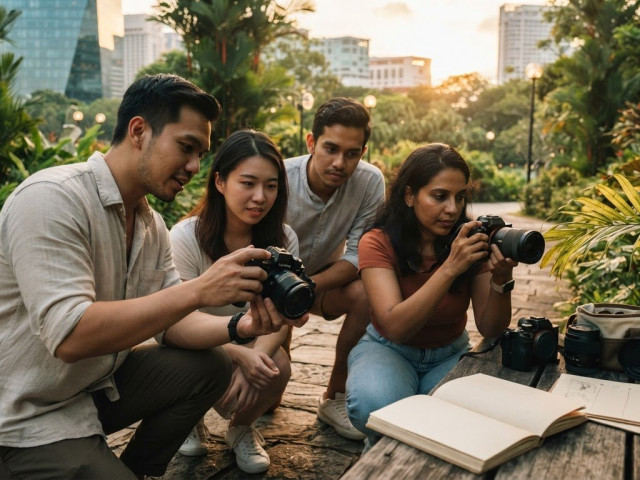
Self-guided practice gives you room to experiment, while a teacher can help make unfamiliar controls easier to understand as you use them. Guided photography practice lets beginners apply camera choices while taking photographs, then connect those choices to the results. A beginner photography course can be a useful next step if you’d like practical support beyond practising alone.
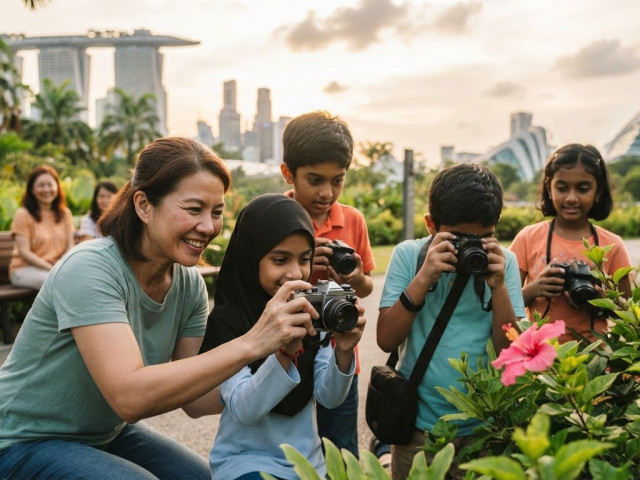
Pictorial’s Photography Starter Session is designed for beginner learning. It runs for 1 session, 3 hours, with All age, min. 9, and a maximum of three participants. Learners can use their own camera or request Complimentary camera loan (if needed). The session includes a Certificate of Completion. Small-group outdoor practice gives you the chance to try camera controls with real subjects and available light.
You can keep practising on your own, or add guided instruction when you’re ready for another kind of support. Either way, take one useful lesson from each session and let it shape the next photograph.
Explore Pictorial’s photography courses to find a learning option that suits your next step.
Take Your Next Step Behind the Camera
Your next photograph doesn’t need to prove you’ve mastered your DSLR. Treat it as a small experiment: choose one result you’d like to achieve, make a frame, and notice what you learn. That steady approach is at the heart of how to use a DSLR camera for beginners, and it gives you room to grow without pressure.
If you’d value practical guidance as you continue, Pictorial has taught more than 20,000 students since it was founded in 2005, with professional photographer Keith leading its photography learning. Patient instruction can help unfamiliar camera controls feel more approachable as you put them to use.
Keep your camera close, stay curious, and give yourself time to learn. Each photograph is another chance to see something differently and make a choice with greater confidence.
Frequently Asked Questions
How do you take your first photo with a DSLR camera?
Start with a charged battery, a memory card, and a compatible lens attached with its cap removed. Set the mode dial to Auto, then choose a still subject and frame it through the viewfinder or on the screen. Place the focus point on the subject, press the shutter halfway if your camera supports it, then press fully. Use playback to check the image and decide what to try next.
Should beginners use Auto mode on a DSLR?
Yes. Auto mode is a sensible choice while you get used to holding the camera, choosing a frame, and deciding what should stand out. It’s also useful when a moment is brief and you don’t want to pause to change settings. Once you can name a result you want, try a more controlled mode, such as Aperture Priority to influence how soft the background looks.
How do you focus a DSLR camera for a sharp picture?
Choose the focus point that matches the detail you want sharp, such as a person’s nearer eye, and place it over that detail. Follow your camera’s focus confirmation, then press the shutter smoothly. Focus placement and camera steadiness are separate: the right point won’t prevent blur if the camera moves during the shot. Support the lens with one hand and keep your elbows close to your body.
What is the best DSLR setting for beginners?
There isn’t one best setting for every scene. Auto can help you concentrate on composition, while a scene mode may suit a common situation if your camera offers one. Choose Aperture Priority when you want to influence background blur, or Shutter Priority when you want more say over how movement appears. Let your subject and learning goal guide the choice, then review the result before adjusting.
Can you use a DSLR without knowing manual mode?
Yes. You can take photographs and build useful camera skills without using Manual mode. Auto and scene modes let the camera make more choices, while Program and priority modes give you some control and leave other decisions to the camera. For example, Aperture Priority lets you practise changing the background’s appearance without selecting every exposure setting yourself. Move to Manual when you’re ready to control those choices directly.
Why are my DSLR photos blurry?
Blur often comes from focus landing on the wrong detail or from camera movement during the exposure. Check playback closely: if something else in the scene looks sharp, adjust the focus point towards your subject. If the whole frame looks smeared, steady your hold and retake the photo before changing settings. A moving subject can also blur, so compare a still subject and a moving one to narrow down the cause.
Do you need a lens to use a DSLR camera?
Yes, you need a compatible lens attached to photograph a subject and form an image. The camera body contains the controls and sensor, while the lens gathers and focuses light onto that sensor. A lens also affects how much of the scene fits in the frame. Before attaching one, check that it’s designed to fit your camera mount, and remove the front cap before taking a photo.

Disclaimer
© Pictorial | All Rights Reserved.